Unofficial
community firmware · Sonicake Pocket Master
Pocket MasterCustom Firmware
Six screen themes, twice the Clone and IR slots, 30-character names
and a new I/O tab for recording, all on top of the official V1.3.3 firmware. Flash it with Sonicake
Manager like any update, and manage everything from the browser.
At your own
risk. Unofficial, not affiliated with Sonicake. Tested on our own unit only: other hardware
revisions may not work or may be bricked. Can void the warranty. No guarantee of any kind.
Read the disclaimer.
Coming from the stock Sonicake firmware? Your user IRs
and Clones will be lost on the first boot and must be re-uploaded. Presets and settings are kept.
Screen theme
CFW feature · Settings → Style on the pedal
Pedal colour
Just for fun: the official shell & button colours
Illustrative drawing, not a photo: the screen is a render
recoloured with the firmware's theme colour tables; colourways are approximations.
// releases
News & releases
Every release is one file, for the first install and for
every later update. Newest first.
Loading releases…
// features
What the CFW adds
Everything below runs on the pedal itself, on top of the
official Sonicake V1.3.3 firmware.
6 screen themes + brightness
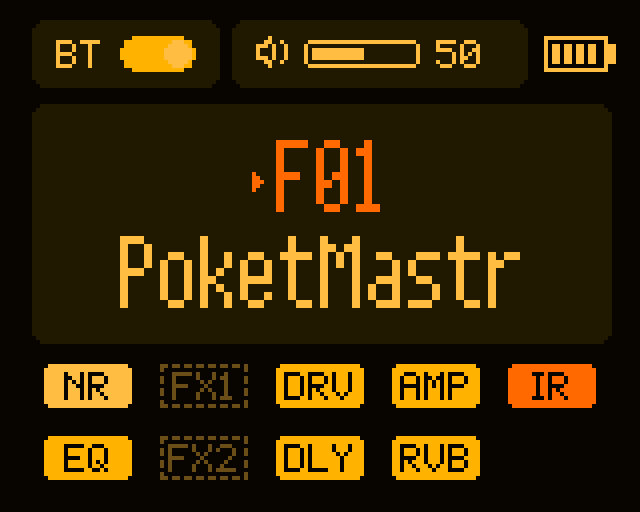
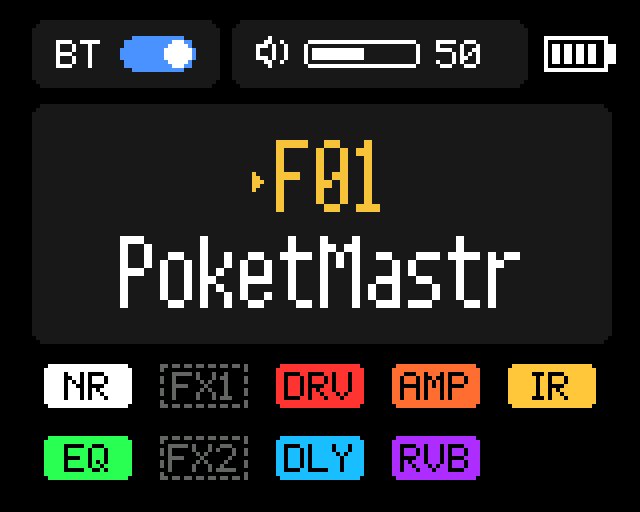
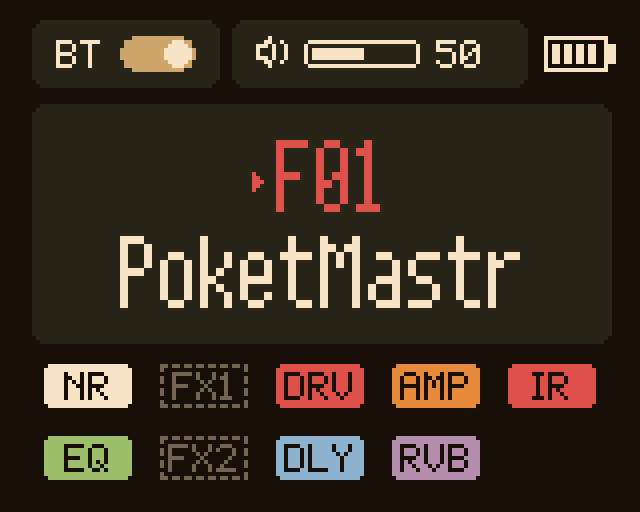
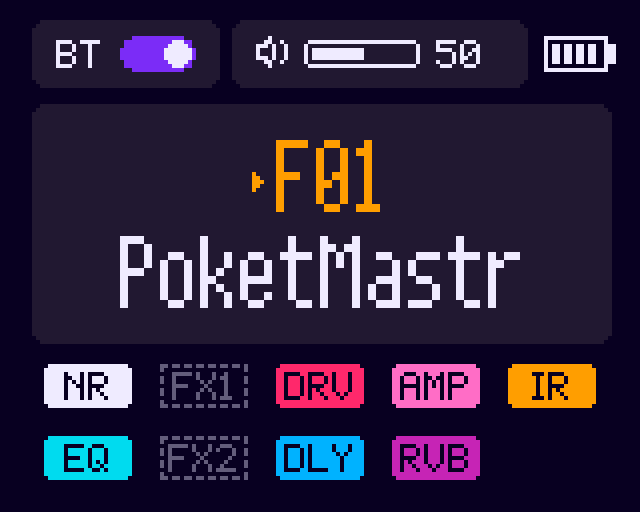
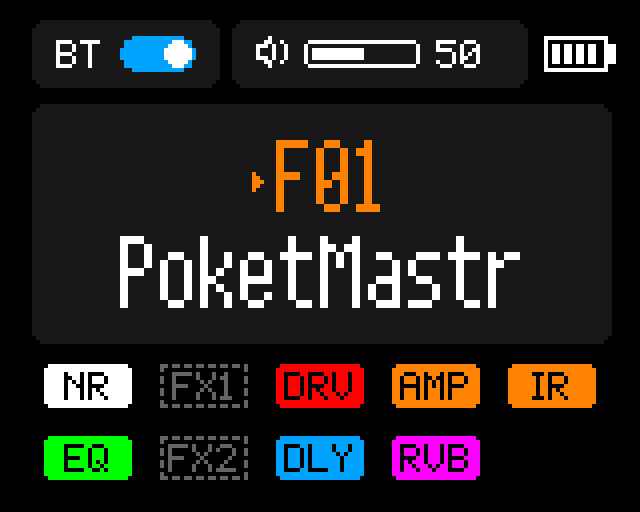
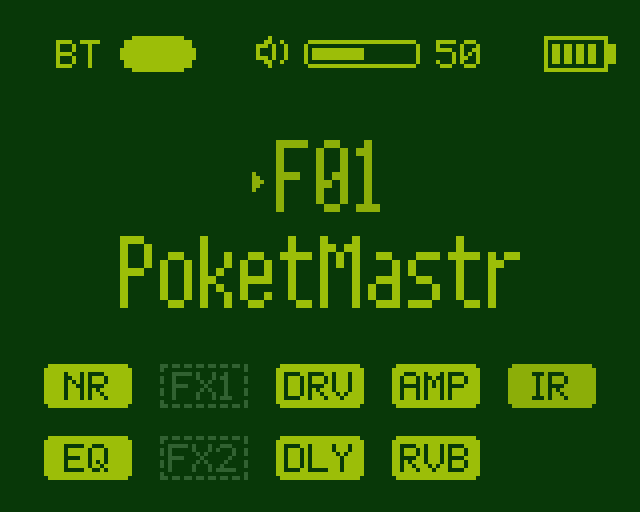
A new Style tab in Settings: Default (pixel-identical to stock), Amber CRT, Tube
Amp, Synthwave, Stage Hi-Contrast and Game Boy. Live preview, applied to every screen, icon, tuner,
looper and the boot animation. Display brightness 10–100 %, now kept across power cycles.
10 Clone slots
Twice the NAM capture (Clone / User Profile) slots: 10 instead of 5. Convert your
.nam files, A2 captures included, in the web app.
10 User IR slots
10 user cabinet IRs next to the 15 factory cabs, in the same flash area as the stock
5. Upload, rename and clear them in the SonicMaster CFW web app; uploads are power-cut safe.
Your IRs and Clones survive updates
At every boot the firmware checks its IR and Clone storage and formats it only when it
is missing or still in the stock layout, which happens once, on the first install over the stock
firmware. Later CFW updates keep everything.
Names up to 30 characters
IR and Clone names up to 30 characters. Up to 15 they look exactly as before; longer
names scroll on one line in the Effects editor. Set them in the SonicMaster CFW web app.
New I/O tab for recording
Direct Monitor ON / OFF: turn it off to hear only what comes back from the
computer (perfect with amp-sim plugins). USB Rec: WET (stock), DRY DI (clean
guitar on both channels, for re-amping) or DI L + WET R (both at once). Saved across power
cycles.
WET
DRY DI
DI L + WET R
Works with Sonicake Manager
The update header is unchanged, so Sonicake Manager still recognises and updates the
unit for flashing. Presets, slots 1–5 and the first 15 characters of names work as usual there; slots
6–10 and the full names are managed in the SonicMaster CFW web app.
Tuner reference A4: 430–450 Hz
In the tuner, turn the encoder to move the reference pitch in 1 Hz steps, from
430 to 450 Hz. The value sits in a small line at the top of the tuner screen (A4 = 441 Hz)
and the tuner follows it live. Every time you open the tuner it is back to 440 Hz: nothing is
saved, so a band can never tune to a forgotten setting.
430 Hz
A4 = 440 Hz
450 Hz
CFW boot animation
A new start-up animation with the CFW version number, in place of the stock one: same
size and length, recoloured by the selected theme.
A web app made for it
SonicMaster CFW runs in the browser: all 10 IR and Clone slots, NAM
conversion, long names, themes, brightness and the I/O settings. More below.
// coming next
Roadmap
Ideas being worked on or explored. No dates, no promises.
MIDI tap tempo and MIDI clock sync
A new Wah, controllable via MIDI CC
MIDI CC → any parameter
A better looper
Your own boot animation / logo
Longer IRs
Stompbox mode: the ◀ ▶ buttons switch groups of effects on and off (FS1 / FS2), set up from the web app
Exploring effects from other Valeton / Hotone units
// screens
On the 160 × 128 screen
No photos yet: these are illustrative renders,
composed from the UI graphics extracted from the firmware and recoloured with the exact colour mapping
the CFW applies on the device. Layout and font are approximations.
Defaultpixel-identical to stockAmber CRTmonochrome amber phosphorTube Ampwarm cream and tolexSynthwaveneon on deep violetStage Hi-Contrastfor bright stagesGame Boy4-green DMG paletteSettings → Styletheme + brightness rowsSettings → I/ODirect ON · USB REC DI|WET30-character namesscrolling on
one lineBoot animationthe CFW one, themed
too (Amber CRT)Theme engineOFF modules dimmed,
ON modules in full colour, selections distinct
// web app
SonicMaster CFW
The editor in your browser, nothing to install. A fork of
SonicMaster that knows the custom firmware.
Presets, effects and footswitches over USB-MIDI or Bluetooth
Converts .nam captures (A2 included) and loads .clo into
any of the 10 Clone slots
IR upload (.wav) into all 10 User IR slots, with long names
CFW settings: theme, brightness, Direct Monitor, USB Rec
Works with the stock firmware too, exactly like upstream SonicMaster
One file for the first install and for every update. Takes a
couple of minutes.
Back up first (strongly recommended)
Dump the MCU SPI flash with a CH341A programmer and a SOP-8 clip. The bootloader is
not part of the update file, so this backup is your safety net.
Coming from stock? Your IRs and Clones will be lost
Your user IRs and Clones WILL BE LOST on the first boot of the CFW (their slots
are reformatted for the new 10-slot layout) and must be re-uploaded (with the SonicMaster CFW web app).Only IRs and Clones: your
presets and settings stay. Presets that used them point to an empty slot until you re-upload. The
pedal cannot export IRs or Clones, so keep your .wav / .nam / .clo files.
Check the download
Compare the SHA-256 shown with the release, e.g. certutil -hashfile
file.bin SHA256 on Windows or shasum -a 256 file.bin on macOS / Linux.
Flash with Sonicake Manager
Load the .bin like any official update. Do not unplug the pedal and do
not let the computer sleep. Windows 11: if the update starts and then stalls, open Device Manager
→ Pocket Master → Update driver → Browse my computer → Let me pick → USB Audio Device, then
retry.
Check the version
Settings → About shows V1.3.3-CFW0.5. The new I/O tab is the last
one, and Style has two rows.
Going back
Flash the official V1.3.3 with Sonicake Manager. The stock firmware ignores the
CFW settings; Clones and IRs stored in the new slots are not visible to it, so re-upload them.
Disclaimer
⚠ At your own risk. We do
NOT guarantee that this firmware works on your device. It is being tested on our own unit only
(firmware V1.3.3); Sonicake may have shipped different hardware revisions we have never seen, on which
the CFW may not work or may brick the pedal.
Unofficial community project. The Pocket Master custom firmware and
SonicMaster CFW are not affiliated with, authorised or endorsed by Sonicake.
Modifying the firmware of your device can brick it and may void your
warranty.
Everything here is provided "as is", without warranty of any kind, express or
implied. The author accepts no liability for damage to your device, loss of data (presets, IRs,
Clones) or any other loss arising from its use. Use it at your own risk.
Sonicake, Pocket Master and the other product names mentioned are trademarks of
their respective owners and are used here only to describe compatibility.
The firmware file is the official Sonicake firmware V1.3.3 with community
modifications: it contains Sonicake code, modified by the community.
// credits
Credits
SonicMasterby Andrii Klaptsov (MIT License): the base of the web app and of the NAM → Clone
conversion.